Plans from $4.16/mo · Billed once, no auto-renew · Login delivered on WhatsApp in minutes From $4.16/mo · No auto-renew
IPTV for TiviMate Premium and every app

TiviMate Premium unlocks the app. Our IPTV supplies the TV.

Our IPTV brings 20,000+ live channels and 95,000+ movies and series. It loads into TiviMate in minutes. It works in every other major app too. TiviMate Premium itself is the developer's paid app upgrade, with no channels.

Not happy in the first 7 days? Full refund.

Best value: 12 months · 1 device · $49.98 Get it
  • ✓ 7-day money-back
  • ✓ Billed once, no auto-renew
  • ✓ Login in minutes on WhatsApp
  • Typically replies within the hour

Need TiviMate Premium itself? Buy it on the official site ↗

Live football under floodlights playing in TiviMate through our IPTV service
20,000+
live channels
95,000+
movies and series
25+
device types
7-day
money-back

25+ device types supported · no extra cost per device

Pricing

TiviMate Premium IPTV plans

Pick how many devices you need, then a duration, and pay once on WhatsApp. Every plan is IPTV for TiviMate and every other major player, with the full library, the TV guide and seven days of catch-up. Plans are billed once, never renewed, and the 7-day money-back covers your first order. Compare every size on the IPTV subscription prices page.

One device = one screen watching at a time. Change devices anytime.

Everything included in every plan
  • 20,000+ live channels
  • 95,000+ movies and series
  • 4K, FHD and HD quality
  • Full EPG and 7-day catch-up
  • Works in TiviMate and every major app
  • Works on all devices
  • Daily support on WhatsApp
1 device
Best value · Save 58%

12 months, 1 device

Regular price Was $119.76
$49.98
That's $4.16/mo, billed once
Get this plan

Opens WhatsApp with your order filled in · Pay securely · Login in minutes

6 months, 1 device

Regular price Was $59.88
$29.98
$4.99/mo · billed once, no auto-renew
Save 50%
Get this plan

Opens WhatsApp with your order filled in · Pay securely · Login in minutes

3 months, 1 device

Regular price Was $29.94
$19.98
$6.66/mo · billed once, no auto-renew
Save 33%
Get this plan

Opens WhatsApp with your order filled in · Pay securely · Login in minutes

2 devices
Best value · Save 53%

12 months, 2 devices

Regular price Was $179.76
$84.98
That's $7.08/mo, billed once
Get this plan

Opens WhatsApp with your order filled in · Pay securely · Login in minutes

6 months, 2 devices

Regular price Was $89.88
$49.98
$8.33/mo · billed once, no auto-renew
Save 44%
Get this plan

Opens WhatsApp with your order filled in · Pay securely · Login in minutes

3 months, 2 devices

Regular price Was $44.94
$34.98
$11.66/mo · billed once, no auto-renew
Save 22%
Get this plan

Opens WhatsApp with your order filled in · Pay securely · Login in minutes

3 devices
Best value · Save 52%

12 months, 3 devices

Regular price Was $239.76
$114.98
That's $9.58/mo, billed once
Get this plan

Opens WhatsApp with your order filled in · Pay securely · Login in minutes

6 months, 3 devices

Regular price Was $119.88
$69.98
$11.66/mo · billed once, no auto-renew
Save 42%
Get this plan

Opens WhatsApp with your order filled in · Pay securely · Login in minutes

3 months, 3 devices

Regular price Was $59.94
$49.98
$16.66/mo · billed once, no auto-renew
Save 17%
Get this plan

Opens WhatsApp with your order filled in · Pay securely · Login in minutes

7-day money-back on your first order. Not working on your device? Full refund. Read the refund policy

How ordering works
  1. Tap a plan
  2. WhatsApp opens with your order
  3. Pay and get your login in minutes
  • Interac e-Transfer

Pay securely after we confirm your order on WhatsApp

Usually replies within the hour, every day

TiviMate Premium in 30 seconds

What it is
The paid upgrade for the TiviMate IPTV player, sold only by its developer.
Price
About $9.99 per year or $33.99 one-time, lifetime (US Google Play, Oct 2026). Check today's price in the Companion app or on the official site.
Devices
Covers up to 5 devices on one TiviMate account.
Where to buy
The TiviMate Companion app on Android, or the official site.
Includes channels?
No. You add an IPTV subscription, like ours, from $4.16/mo.
Two separate things

TiviMate Premium vs an IPTV subscription

You need two things to watch live TV in TiviMate: the app and the content. Here is who provides what.

TiviMate Premium and an IPTV subscription, side by side
TiviMate Premium Official TiviMate site ↗ TiviMatePremium.shop See our plans
What it is The paid upgrade for the TiviMate app An IPTV subscription (the TV content)
Who sells it The TiviMate developer, on the official site Us
Includes channels No Yes: 20,000+ live channels, 95,000+ movies and series
Works in other apps No, TiviMate only Yes, every major player
Where to get it Official TiviMate website This website

TiviMate Premium is the app's own upgrade: recording, multiple playlists and guide options, but no channels, because TiviMate is an empty player until an IPTV login fills it. Ours runs in the free app as well as in Premium. More on how the app upgrade and an IPTV subscription differ.

What TiviMate Premium unlocks, and what it does not

The free TiviMate app already plays live TV from one playlist with a TV guide. Premium adds the features below, none of which adds content.

What TiviMate free and TiviMate Premium include
Feature TiviMate free TiviMate Premium
Playlists One Multiple
Favorites and custom groups Basic Yes
Catch-up No Yes
Recording No Yes
Multi-view No Yes
Program reminders No Yes
TV guide search No Yes
Auto frame rate No Yes
Channels included No No

Premium is worth considering when you follow several playlists, record shows, use catch-up or watch more than one channel at once. With a single playlist, the free app covers the basics. Either way the developer sells it, so the decision and the payment happen on the official site.

Read the full guide to the upgrade →

How much is TiviMate Premium? Price and cost in 2026

TiviMate Premium costs about $9.99 a year or $33.99 for a one-time lifetime purchase (US Google Play, Oct 2026), set by the developer. Prices change by country, so check today's price in the Companion app or on the official site. One account covers up to 5 devices, and the upgrade includes no channels.

TiviMate Premium price 2026
Plan Price Devices Best for
Yearly About $9.99 per year Up to 5, on one account Trying Premium or switching players
Lifetime About $33.99, paid once Up to 5, on one account Long-term TiviMate users

The cost is per account, not per screen: spread over 5 devices, the yearly TiviMate Premium subscription is about $2 per TV per year. You always pay the developer, never a reseller or a code seller, and the full price guide compares lifetime with yearly.

Compare that with cable at $80 to $120 a month: the content side of a TiviMate setup starts from $4.16 a month on our 12-month plan. If you only need live TV, you can skip the upgrade entirely.

Total cost: a full TiviMate setup is the upgrade (optional) plus an IPTV subscription from $4.16/mo.

How to buy and activate TiviMate Premium (5 steps)

Buying takes about five minutes. The TiviMate Premium account you create unlocks the upgrade on every TV, and the developer sells the TiviMate Premium subscription as a yearly plan or a one-time lifetime purchase. No key is needed: you sign in, and the features appear.

  1. 1 Install the TiviMate Companion app on an Android phone.
  2. 2 Create or sign in to your TiviMate account.
  3. 3 Choose yearly or lifetime and pay the developer.
  4. 4 On your TV, open TiviMate and sign in with the same account.
  5. 5 Premium activates. Restart TiviMate if it still shows the free version.

No Android phone?

With only a PC or an iPhone, check the official site for today's purchase options, or borrow any Android phone for five minutes. The purchase belongs to your account, so you can hand the phone back.

We never sell the upgrade, codes or keys.

TiviMate Premium APK: is there a separate download?

No. There is no separate Premium APK. Premium unlocks on the normal TiviMate app when you sign in with your TiviMate Premium account, in the same app everyone installs from Google Play or the developer's own site. The upgrade belongs to the account, not to a file, so reinstalling the app never costs you Premium.

Install TiviMate from Google Play, or on Fire TV from the developer's own site through Downloader, as our setup guides do. An APK with Premium built in is a cracked copy: it can carry malware, cannot be updated safely and breaks the developer's terms, so we never link to third-party APK sites.

Safe install guide →

Get TiviMate Premium on Firestick, Android TV and Google TV

It works the same on every Android-based device and is bought from the developer, not from us. Buy it on the official site or in the Companion app, then sign in with the same account in TiviMate on your Fire TV Stick, Android TV or Google TV, and Premium unlocks within a minute.

Our setup guides work in the free app, so you do not need the upgrade to follow them. On a Firestick, install TiviMate with the verified Downloader code first, add your login, and only then decide on Premium. Recording needs storage, and a Firestick has little of it, so check where recordings will be saved.

Is TiviMate Premium worth it?

It depends on how you watch. TiviMate Premium is worth it if you keep several playlists, want favourites and custom groups, rely on catch-up, record programmes or watch several channels in a split view.

With one playlist and the TV guide, the free app is enough, and our IPTV runs in it without limits.

A practical test: use the free app for a month and note each time you wish it could record, split the screen or hold a second playlist. More than two entries, and the upgrade will earn its price.

At about $9.99 a year or $33.99 lifetime, a viewer who records one programme a week gets value quickly. Check today's price on the official site before you decide.

TiviMate free vs Premium →

Myths and facts about the paid upgrade

Five claims about the upgrade we hear most, and the facts.

Common myths about the upgrade, and the facts
Myth Fact
TiviMate Premium includes channels. It includes no channels. It only unlocks app features.
You can buy a TiviMate Premium code from resellers. Premium is sold only by the developer, through your TiviMate account.
Premium is needed to watch IPTV. The free app plays IPTV. Premium adds multiple playlists, recording, catch-up and more.
Premium works only on one device. One account covers up to 5 devices. Check the current limit on the official site.
A Premium APK is the same thing. There is no official Premium APK, and cracked versions are unsafe.

Common problems with the upgrade, and fixes

Most problems come from the account, the device limit or an empty playlist. More fixes are in TiviMate Premium not working? 10 fixes.

TiviMate still shows the free version

Sign in to TiviMate with the account you bought on, then sign out and in again and restart the app. A second account will not show the upgrade, because the purchase belongs to one account. Check your internet connection too, because the sign-in has to reach the developer.

Device limit reached

Open your account on the official site or in the Companion app and remove a device you no longer use, then sign in on the new one. The limit is set by the developer and can change.

Premium lost after reinstalling

Premium belongs to your account, not the installation. Install TiviMate again from the official source, sign in with the same account and it unlocks. Add your playlist again unless you restored a backup.

Premium active but no channels

Premium contains no channels, so an empty list means no playlist is loaded yet. Add your IPTV login as an Xtream Codes playlist and the channels and guide appear. The playlist guide shows each step: how to add a playlist in TiviMate.

Best IPTV for TiviMate: what to look for

Not every TiviMate IPTV login behaves the same inside the app. The best IPTV for TiviMate behaves the same at 8 pm on a Saturday as at noon on a Tuesday, and because it works through an Xtream Codes login, the playlist, categories and TV guide arrive together.

Looking for the best IPTV for TiviMate? Compare TiviMate IPTV services on what you can check before you pay: a clear refund promise, honest device limits and support that answers. Ask how many screens a plan allows at once and how catch-up works on your channels. Here is how ours measures up.

  • ✓ Xtream Codes login
    Channels, categories, TV guide and catch-up load automatically. Ours uses it.
  • ✓ A complete EPG
    Every channel shows what is on now and next.
  • ✓ 7-day catch-up
    Replay supported programmes from the past week.
  • ✓ Stable servers at peak hours
    Judge it in the evening, when most people watch.
  • ✓ A refund promise you can use
    Our 7-day money-back covers your first order.
Choose your plan

Up and running in minutes

  1. 1

    Choose your plan

    Pick the duration and number of devices that suit you.

  2. 2

    Message us on WhatsApp

    Tap a plan button and your order is pre-filled. Just hit send.

  3. 3

    Add it to TiviMate

    Paste your Xtream Codes login into TiviMate or any app and start watching.

Is your internet ready for 4K?

Smooth IPTV needs about 5 Mbps for SD, 10 for Full HD and 25 for 4K. This test downloads a 10 MB file from our server.

Full IPTV speed test and tips →

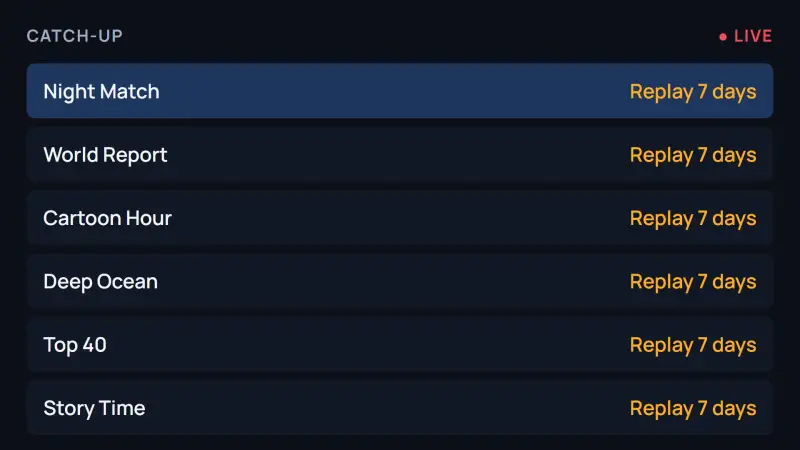
What our IPTV looks like in TiviMate

Illustrations of TiviMate with our IPTV, using sample channels. Real screenshots from our test Fire TV Stick replace them as they are captured.
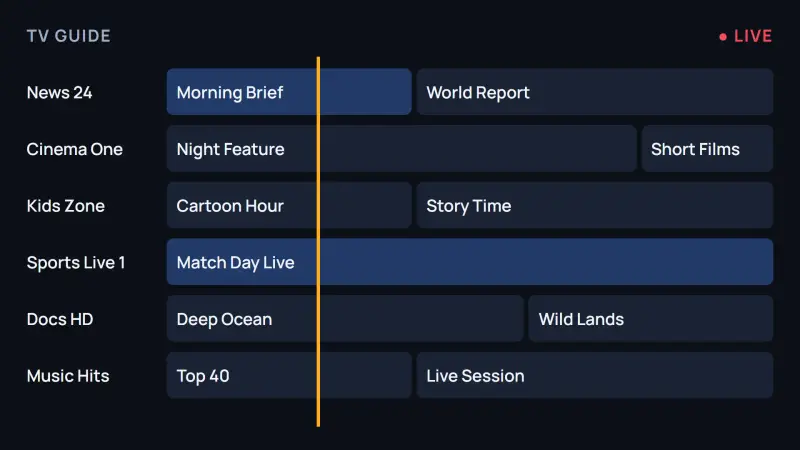
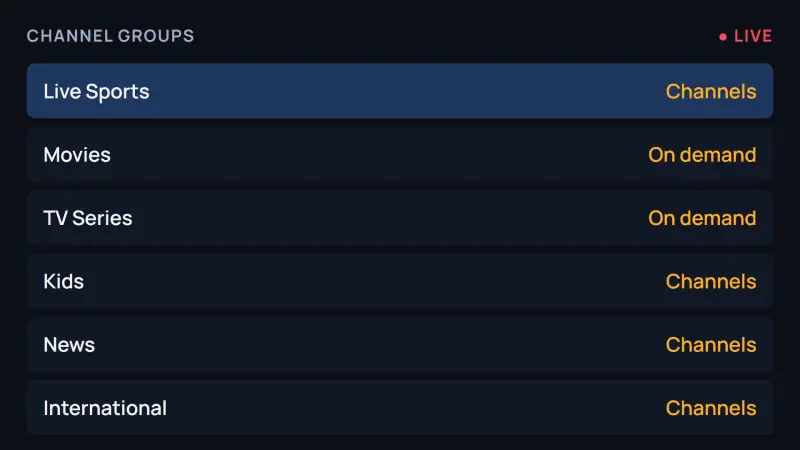
Illustration of a TiviMate TV guide (EPG) with sample channels, as it looks on a Fire TV Stick
Figure 1. Illustration of the TV guide grid in TiviMate with our IPTV, using sample channels.
Illustration of TiviMate channel groups loaded from our IPTV playlist, by category
Figure 2. Illustration of the channel groups TiviMate builds from our IPTV playlist.
Illustration of a TiviMate Premium catch-up view replaying a programme from the past week
Figure 3. Illustration of the catch-up list for replaying programmes from the past seven days.

Xtream Codes or M3U: which login to use in TiviMate

Use the Xtream Codes login whenever the app offers it. It takes a server address, a username and a password, and TiviMate then loads the live channels, movies, series, categories, TV guide and catch-up in one step.

The M3U link is the fallback for players without Xtream Codes. In TiviMate it loads the channels but may need the TV guide added separately. We send both with every order.

What you receive after you order

After payment is confirmed on WhatsApp, we send one message, with a copy by email: your server URL, username and password, which together are your Xtream Codes login, plus an M3U link.

Setup steps for your device come with it. Keep the message to reuse if you change your player.

What to expect in your first 10 minutes

Your login arrives within minutes of ordering. Installing a player takes about five minutes on a Firestick and less on a phone; enter the login, give the guide a minute to load, and most customers are watching inside ten minutes.

If a step goes wrong, message us with your device and the step where you stopped. We answer daily, usually within the hour.

Which devices run TiviMate, and what to use on the rest

TiviMate runs on Android-based devices: Fire TV, Android TV, Google TV, NVIDIA SHIELD, Android phones and tablets and Formuler boxes. It does not run on Apple devices, Samsung or LG smart TVs, Roku, MAG boxes or computers.

For those, the setup guides name a player that accepts the same login: IBO Player, IPTV Smarters, UHF, Set IPTV or VLC, depending on the device. You never pay twice for the content, and you can mix players across the devices in your plan.

Why TiviMate users choose TiviMatePremium.shop

Built for TiviMate

Your login loads straight into TiviMate with the full TV guide and catch-up.

Instant activation

Your login arrives on WhatsApp minutes after you order.

4K, FHD and HD quality

Crisp picture on every supported channel and on-demand title.

Full EPG and 7-day catch-up

A complete TV guide so you never miss a show.

Any app, any device

TiviMate, IPTV Smarters, IBO Player and more, on 25+ device types.

Daily WhatsApp support

Daily support, usually within the hour.

Why switch to TiviMatePremium.shop

TiviMatePremium.shop and a typical US cable TV package (2026)
TiviMatePremium.shop Recommended Typical US cable TV package (2026)
Live channels 20,000+ 150 to 300
Movies and series 95,000+ Limited
Works in TiviMate Yes, tested No
Catch-up TV Yes, 7-day replay Needs DVR
Monthly cost from $4.16/mo $80 to $120
Setup Minutes Technician needed

Comparison based on typical offers in 2026. Published by TiviMatePremium.shop.

Set up TiviMate on your device

Every guide follows the same path: install the player, enter the Xtream Codes login we send you and load the TV guide, with fixes for the most common problems.

All setup guides →

IPTV for TiviMate users in your country

Each country page covers local devices, the TV guide time zone and payment methods, with USD prices and an approximate local amount. We also have a page auf Deutsch and en français.

How we earn your trust

Billed once, no auto-renew
7-day money-back on your first order
Daily support, usually within the hour
Step-by-step guides for every device

TiviMatePremium.shop launched in 2026, backed by IPTV customer support since 2021. Read the refund policy and about us.

Sell IPTV under your own name

Credit packs from $1.33 per credit. Credits never expire.

See the reseller program

TiviMate Premium FAQ

Updated

How much is TiviMate Premium?

The developer sells it as a yearly plan or a one-time lifetime purchase. On US Google Play in October 2026 it cost about $9.99 a year or $33.99 lifetime, for up to 5 devices. Prices change by country, so check today's price in the Companion app or on the official site. Price guide

How do I activate TiviMate Premium?

Buy it from the developer, then open TiviMate on your TV and sign in with the same account. The upgrade activates within about a minute. If the free version still shows, sign out, sign in again and restart the app. No code or key is needed. Activation guide

Is there a TiviMate Premium APK?

No. There is one TiviMate app, and the paid features unlock when you sign in to a paid account. Files sold as a Premium or modded APK are cracked copies that can carry malware. Install TiviMate only from Google Play or the developer's own site. Safe install guide

Can I get TiviMate Premium for free?

No legitimate free version of the upgrade exists, and offers of free accounts, codes or keys do not come from the developer. The free TiviMate app works with our IPTV, so you can watch live TV, movies and series without paying for the upgrade. Free vs Premium

Does your subscription include TiviMate Premium?

No. The upgrade is sold only by the app's developer, on the official site and in the Companion app. We provide the IPTV subscription: the channels, movies and series you load into TiviMate or any other player. Our login works in the free app and in the paid one.

Do I need TiviMate Premium to use your service?

No. Our service works in the free TiviMate app and in other free players such as IPTV Smarters. The upgrade adds recording, multiple playlists, catch-up and multi-view. If you watch live TV from one playlist, the free app is enough, and you can upgrade later.

Where do I buy TiviMate Premium?

Only from the developer: in the TiviMate Companion app on an Android phone or on the official TiviMate website. Avoid anyone selling codes, keys or cracked apps, because they can lock your account or carry malware. We never sell the upgrade ourselves. Buying guide

How long does activation take?

Minutes. As soon as payment is confirmed on WhatsApp, we send your server URL, username, password and an M3U link, on WhatsApp and by email. Paste them into TiviMate or any other player and the channels and TV guide load.

Which devices are supported?

Fire TV Stick, Android TV, Google TV, NVIDIA SHIELD, Formuler, MAG, Apple TV, Samsung and LG smart TVs, iPhone, iPad, Android phones, Windows, Mac and Roku: 25+ device types. TiviMate runs on the Android-based ones, and each setup guide names a player for the rest. All setup guides

What do I receive after payment?

Your Xtream Codes login, which is a server URL, a username and a password, plus an M3U link for players that need one, and setup steps for the device you named. Everything arrives on WhatsApp with a copy by email, usually within minutes.

Is the subscription IP-locked?

No. You can watch from different places and networks, at home or away, as long as you stay within the number of devices in your plan. One device means one screen watching at a time, so a 2-device plan lets two screens play together.

Do you need TiviMate Premium to watch movies?

No. Movies and series play in the free TiviMate app and in any other player that accepts your login. The upgrade adds recording, multiple playlists and multi-view, not content, so the movies always come from your IPTV subscription, whichever version you use.

How do I get TiviMate Premium on Firestick?

Buy it from the developer in the Companion app on an Android phone or on the official site, then sign in to the same account inside TiviMate on the Fire TV Stick. The paid features unlock within a minute. We do not sell it or any codes for it. Firestick guide

Does this work on the Fire TV Stick 4K Select?

No. The Fire TV Stick 4K Select, the Fire TV Stick HD (2026) (Wi-Fi 6, rounded corners, "Fire TV" printed on the stick) and the Fire TV Stick 4K - 3rd Gen (2026) (white box, "4K" printed next to the HDMI plug) run Amazon's Vega OS, which cannot install Downloader, TiviMate or any other sideloaded app. To check, open Settings › My Fire TV › About (on newer menus, Settings › Device › Fire TV) and read the software version: "Fire OS" means TiviMate installs; "OS" followed by a number starting with 1 or 2 means Vega OS. On Vega OS, use a Google TV or Android TV device instead, or message us on WhatsApp before ordering. Check your Fire TV model

Is TiviMate Premium worth it?

It is worth it if you use several playlists, recording, catch-up or multi-view. If you watch live TV from one playlist, the free app is enough. Our IPTV runs in both, so you can start free and upgrade through the developer later if you miss a feature.

How many devices does TiviMate Premium cover?

Up to 5 devices on one TiviMate account at the time of writing. Sign in with the same account on each TV or phone, and check the current limit on the official site. Our IPTV plans count devices separately: one device is one screen watching at a time.

Is TiviMate Premium a subscription?

The developer sells it as a yearly plan or a one-time lifetime purchase, separate from your IPTV subscription. Our IPTV plans work differently: every plan is billed once, with no auto-renew, so nothing is charged by surprise. Renew any time by messaging us on WhatsApp.

Can I try TiviMate Premium before buying?

You can try TiviMate itself for nothing: the free app plays live TV from one playlist with the TV guide, so you can judge the player before you pay. We have found no free Premium period published by the developer, so check the official site for any current offer. If you then buy, the yearly plan keeps the first cost low. Free vs Premium

What happens when TiviMate Premium expires?

Premium switches off and TiviMate keeps working as the free app, which plays one playlist with live TV and the TV guide. A yearly plan bought on Google Play is managed there, so an expired or failed payment ends Premium. The developer does not publish what happens to extra playlists or recordings, so check the official site. Your IPTV login keeps working in the free app. Premium not working?

The Unlock Premium option is missing, what do I do?

TiviMate does not publish why the option might not show, so start with the basics. Update TiviMate from Google Play or the developer's download, Downloader code 272483. On a device without Google Play, such as a Fire TV, buy in the Companion app on an Android phone, then sign in to the same account on the TV. If it is still missing, contact the developer through the official site. Ten fixes in order

What is TiviMate Pro?

The developer publishes no product called TiviMate Pro. It sells one upgrade, TiviMate Premium, as a yearly plan or a lifetime purchase, on the official site and in the Companion app. Apps or APKs sold as TiviMate Pro do not come from the developer and can be cracked copies that carry malware. Install TiviMate only from Google Play or the developer's own download. Safe install guide

Are TiviMate Premium activation codes legitimate?

No. The developer does not sell activation codes: you buy Premium on the official site or in the Companion app, then sign in to the same TiviMate account on your TV and the features unlock. Codes, keys or lifetime accounts sold by third parties do not come from the developer, and the purchase can be reversed or the account blocked. We do not sell them either. Activation guide

Does TiviMate Premium fix buffering?

No. Premium adds features such as recording, catch-up and multi-view; it does not change your internet speed or the stream. Buffering comes from the connection, the Wi-Fi signal, the device or the IPTV server. Use a cable or 5 GHz Wi-Fi where you can, test your speed and restart the device. If one channel still buffers, message us on WhatsApp with its name. Buffering fixes

Does my plan renew automatically?

No. Every plan is prepaid and billed once, so nothing renews and no card is kept on file. Renew any time by messaging us on WhatsApp, change the number of devices when you do, or let the plan lapse with no further charge.

What is the TiviMate downloader code?

It is 272483. Type it into the Downloader app on a Fire TV Stick or Fire TV and it opens the developer's own download. We only publish codes we have checked ourselves, and our Firestick guide shows the whole install.

What payment options are available?

Visa, Mastercard and American Express cards, PayPal, Apple Pay, Interac e-Transfer in Canada, Bitcoin and USDT, Western Union, MoneyGram and bank transfer. You choose the method on WhatsApp after we confirm your plan. Every plan is charged in US dollars and billed once.

Still have a question?

Ready to watch in TiviMate tonight?

Plans from $4.16/mo · Billed once, no auto-renew · 7-day money-back