
How to activate TiviMate Premium
By TiviMatePremium.shop · Updated 28 October 2026
To activate TiviMate Premium, buy it from the developer in the TiviMate Companion app, then open TiviMate on your TV, open TiviMate settings and sign in with that same TiviMate Premium account. The features unlock within about a minute and your playlists stay as they are. There is no code or key to type, and Premium includes no channels.
In short
- You activate TiviMate Premium by signing in to the account that paid, never by typing a code.
- One account covers up to 5 devices: sign in on each TV and remove old ones to free a slot.
- Premium adds features, not channels, so you still need an IPTV subscription to watch anything.
| Method | Sign in to your account |
|---|---|
| Time needed | About 5 minutes |
| Devices per account | Up to 5 |
| Where to buy | Companion app or tivimate.com |
| Channels included | No |
Short answer
Short answer: to activate TiviMate Premium, buy it from the developer, then sign in on the TV with the same account. In October 2026 it cost $9.99 a year or $33.99 lifetime on US Google Play, for up to 5 devices. Buy it in the TiviMate Companion app or on tivimate.com. Channels included: no. Check today's price in the Companion app or on the official site.
Quick clarity: TiviMate Premium is the app's paid upgrade, sold by its developer. It unlocks features like recording and multiple playlists, but it includes no channels. TiviMatePremium.shop sells the IPTV subscription, the content you load into TiviMate or any other player. They are two separate purchases.
How TiviMate Premium activation works
Premium is a status on your account, not a separate app or file. When you sign in on a TV, TiviMate asks the developer's servers whether that account has paid. If it has, the extra features switch on inside the app you already use. That is why you activate TiviMate Premium by signing in, and why a code typed into a box cannot do the same job.
The flow has three parts: an account, a purchase and a sign-in. You create the account and pay in the Companion app on an Android phone or tablet, or on the official site, and then sign in on each TV. If you have not bought yet, our guide on how to buy TiviMate Premium from the developer covers the payment side, and the TiviMate Companion app guide explains the phone app itself.
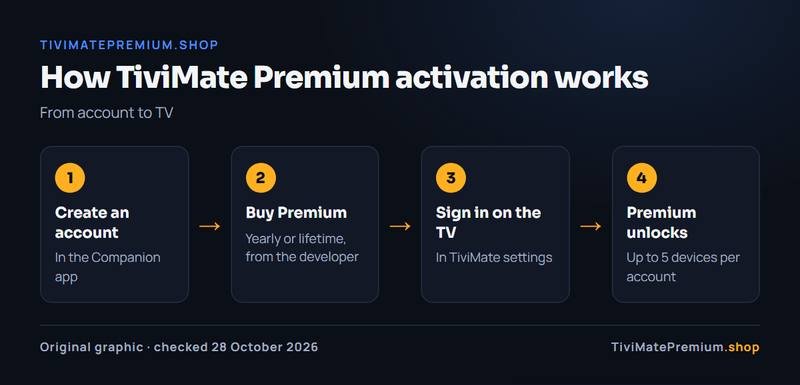
| Item | Why you need it | Where it comes from |
|---|---|---|
| A TiviMate account | Premium is tied to it | Created in the Companion app |
| A Premium purchase | It unlocks the features | Companion app, tivimate.com, or Google Play on a TV |
| TiviMate on the TV | Where you sign in and watch | Google Play, or Downloader code 272483 on Fire TV |
| An IPTV login | Premium includes no channels | Your IPTV provider |
How to activate TiviMate Premium, step by step
You activate TiviMate Premium the same way on a Firestick, an Android TV box, Google TV or NVIDIA SHIELD. Menu labels can shift between versions, so look for the Premium or account entry.
-
Step 1: Buy Premium in the Companion app
On an Android phone or tablet, open the TiviMate Companion app, create an account or sign in, and choose the yearly or lifetime plan. Pay through Google Play.
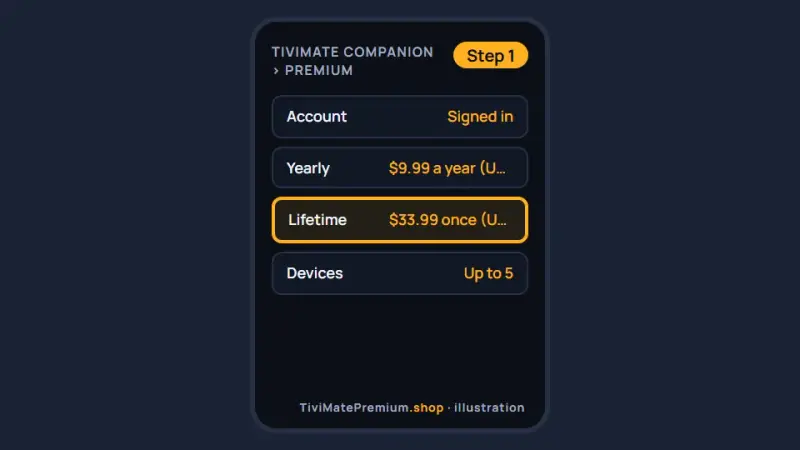
The Companion app lists the yearly and lifetime plans at your local price. -
Step 2: Open TiviMate settings on the TV
Open TiviMate on the TV and open TiviMate settings with the remote. You do not need to remove or reinstall the app you already use.
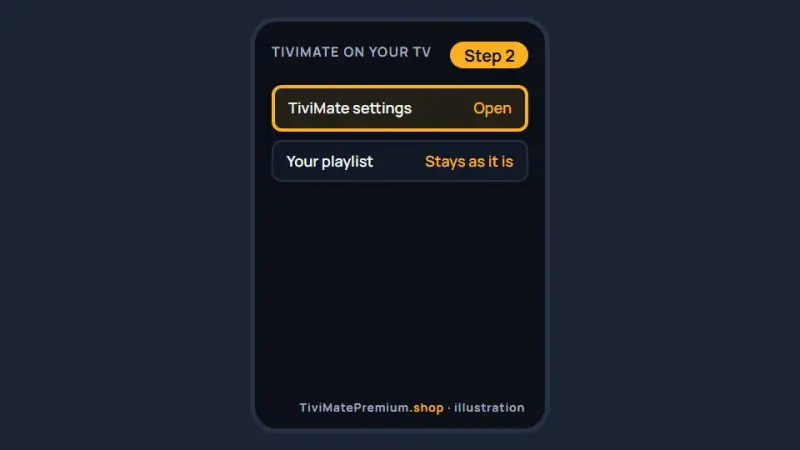
Open TiviMate settings with the remote (illustration). -
Step 3: Find the account sign-in
In TiviMate settings, find the option to sign in to your TiviMate account. The label can change between app versions, so look for the account sign-in, never a field for a code or key.
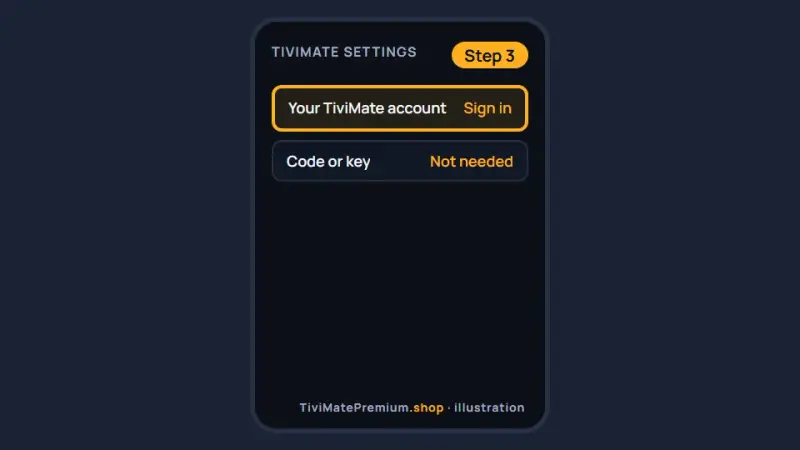
The sign-in for your TiviMate account is in TiviMate settings (illustration). -
Step 4: Sign in with the same account
Enter the username and password you used in the Companion app. One wrong character means a different account, and Premium stays locked.
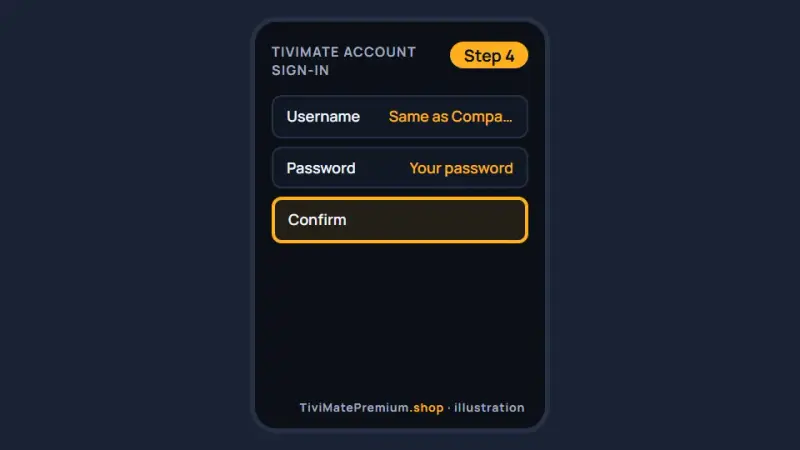
Use exactly the same account details as on the phone. -
Step 5: Check that Premium is active
Wait up to a minute. TiviMate settings now show your account with Premium, and you can add a second playlist. If it still reads free, use the quick fixes further down.
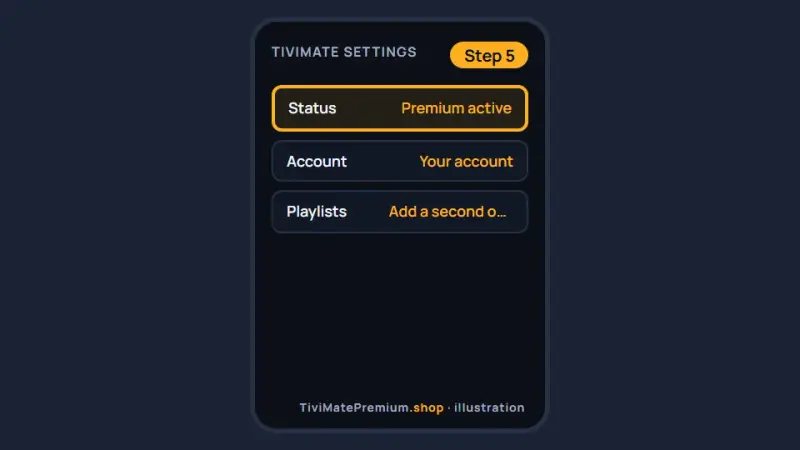
An active status and a second playlist slot confirm it worked.
Activation on Firestick, Fire TV and Android TV
The steps to activate TiviMate Premium are the same on every device that runs the app. What differs is where the app comes from and where you pay. TiviMate runs on Android-based devices only, so Samsung, LG, Roku and Apple TV use other players.
| Device | Where TiviMate comes from | Where to pay | Tip |
|---|---|---|---|
| Fire TV Stick (Firestick) | Downloader code 272483 | Companion app | Set the clock to automatic first |
| Android TV and Google TV | Google Play | On the TV or Companion app | Keep TiviMate updated in Google Play |
| NVIDIA SHIELD | Google Play | On the TV or Companion app | Turn off any VPN or custom DNS for sign-in |
| Android TV box | Google Play or the official site | Companion app | Check the box's date and time |
For the install itself, our TiviMate on Firestick guide walks through Downloader code 272483 on a Fire TV Stick, and the Android TV and Google TV setup guide covers Google Play devices and the SHIELD.
One TiviMate Premium account on up to 5 devices
Each purchase covers up to 5 devices on one TiviMate Premium account. To activate TiviMate Premium on another TV, install the app, add your playlist and sign in with the same details. That works out at about $2 per device per year on the yearly plan, or about $6.80 per device once on lifetime, at the October 2026 US prices. Check today's price in the Companion app or on the official site.
- New TV: install TiviMate, sign in with the same account, and Premium follows.
- Device limit reached: open the account in the Companion app, remove a device you no longer use, then sign in on the new one.
- Selling or giving away a TV: sign out of TiviMate first so the slot is freed.
Activation errors: quick fixes
When you cannot activate TiviMate Premium, the cause is usually the wrong account, a stale session or a device clock. Here is a one-line fix for each common problem. For full step-by-step fixes, see TiviMate Premium not working: every fix.
| Problem | Quick fix |
|---|---|
| Still shows the free version | Sign out, sign in again, then restart TiviMate |
| "Premium not activated" message | Confirm the purchase shows in the Companion app |
| Device limit reached | Remove an old device from the account |
| Wrong account | Use the same username on the phone and the TV |
| Premium lost after a reinstall | Sign in again: Premium lives on the account |
| Fire TV clock or time wrong | Set date and time to automatic, then retry |
| Companion app won't open | Update or reinstall it from Google Play |
| Purchase hidden in your Play Store region | Use the Companion app on any Android device |
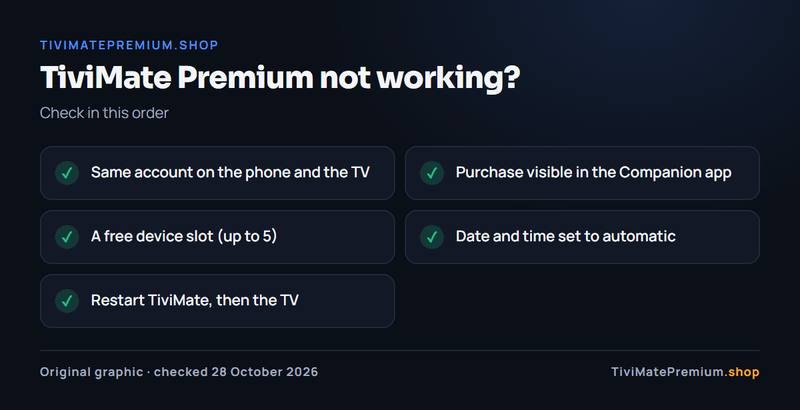
What to do after you activate TiviMate Premium
Once you activate TiviMate Premium, the app is still empty, because Premium contains no channels. Add a playlist: an Xtream Codes login (server URL, username and password) or an M3U link from an IPTV provider.
That is the part we sell. Our IPTV plans for TiviMate start from $4.16/mo, billed once with no auto-renew, with 20,000+ live channels and 95,000+ movies and series in 4K, FHD and HD. Your login arrives on WhatsApp and by email, usually within minutes. For background, read what TiviMate Premium is and what it is not.
Buy it if, skip it if
Buy it if
- You want to record sport or series that air at awkward times.
- You keep two or more playlists in one app.
- You want catch-up, multi-view or guide search inside TiviMate.
- You have several TVs at home and one account can cover up to 5.
Skip it if
- You watch live TV from one playlist and rarely use the guide.
- You expected Premium to include channels: it does not.
- Your player is on Samsung, LG or Apple TV, where TiviMate does not run.
- You are still choosing an IPTV provider: start free and decide later.
Our pick
Start with the yearly plan if you are new to TiviMate: at $9.99 a year it is a cheap way to see which features you really use. Choose lifetime at $33.99 if you expect to keep the app more than 4 years. Either way, Premium has no channels, so you still need an IPTV subscription: see IPTV subscription prices.
Keep your account safe
- Use a password for the account that you do not use anywhere else.
- Never buy codes, keys or shared accounts from third parties: the developer sells Premium only through its own app and site.
- Ignore messages that say your Premium needs reactivating through a link.
If the account shows no Premium after a purchase, contact the developer through tivimate.com: only the developer can see the payment. For your IPTV login, we offer daily support, usually within the hour.
Sources and last checked
Checked 28 October 2026 against tivimate.com and the Google Play listing.
Google Play shows the local price in each country, and the developer can change prices and menus.
Quick answers
Why does TiviMate still say free after I paid?
Almost always the TV is signed in to a different account, or the session is stale. Sign out, sign in with the exact username used in the Companion app, then restart TiviMate. Also set the device clock to automatic. If it still shows free, check that the purchase appears in the Companion app under the same account.
Is there an activation code for TiviMate Premium?
No. You activate TiviMate Premium by signing in to a paid account, not by entering a code. Anyone selling codes, keys or shared accounts is not the developer, and those accounts can be blocked without warning. Buy only in the Companion app, on tivimate.com or through Google Play on a TV.
Do I need to sign in on every device?
Yes. Premium belongs to the account, so each TV or box must be signed in to it. One account covers up to 5 devices. When you reach the limit, remove an old device in the Companion app, then sign in on the new one.
Does reinstalling TiviMate remove Premium?
No. Premium is stored on your account, not in the installation. After a reinstall, sign in again and the features return. Your playlist and favorites may need adding again unless you restored a TiviMate backup, so keep your IPTV login details somewhere safe.
Does Premium come with channels?
No. Premium unlocks player features such as recording and multiple playlists, but it contains no channels. You add those with an IPTV login. Our IPTV plans that work in TiviMate start from $4.16/mo, billed once with no auto-renew. The login works in the free app as well, so you can watch before or after you upgrade.
Can I activate Premium on Samsung, LG or Apple TV?
No. TiviMate runs only on Android-based devices such as Fire TV, Android TV, Google TV and NVIDIA SHIELD. Samsung, LG and Apple TV use other player apps, which have their own purchase rules set by their developers. Our IPTV subscription still works on those TVs through their own players, with the same login.
TiviMate is ready. Add the channels.
Plans from $4.16/mo · Billed once, no auto-renew · 7-day money-back