
How to buy TiviMate Premium
By TiviMatePremium.shop · Updated 28 October 2026
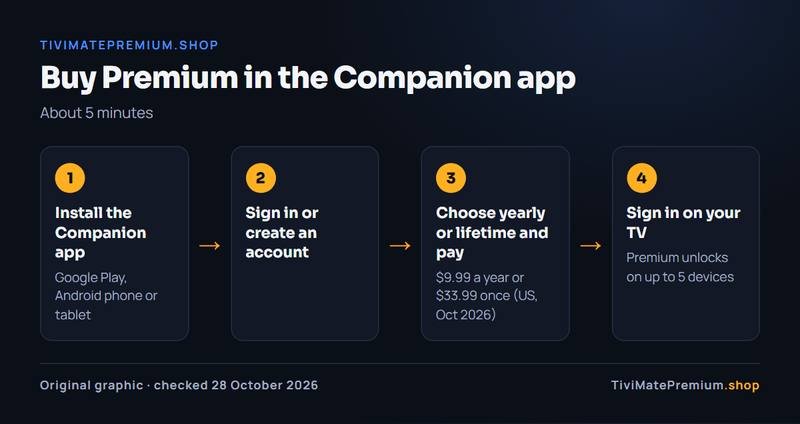
To buy TiviMate Premium, pay its developer in the TiviMate Companion app on an Android phone or tablet: $9.99 a year or $33.99 lifetime on US Google Play in October 2026 (check today's price in the app). Then sign in to the same account in TiviMate on your TV. We do not sell it, and no code is needed.
In short
- The developer sells Premium; the dependable route is the Companion app on any Android phone or tablet.
- There is no direct checkout with a PC: borrow an Android device for five minutes, and the purchase stays with your account.
- Sign in with the same account on up to 5 devices. Never buy codes, keys or shared lifetime accounts.
| Where to buy | Companion app on Android, or a Google Play TV device |
|---|---|
| Price | $9.99 a year or $33.99 lifetime (US, Oct 2026) |
| Time needed | About 5 minutes |
| Devices | Up to 5 per account |
| Sold by us | No, developer only |
Short answer
Buy TiviMate Premium from its developer only. Use the TiviMate Companion app on an Android phone or tablet, or the TiviMate app on a Google Play TV device. On US Google Play in October 2026 it costs $9.99 a year or $33.99 lifetime and covers up to 5 devices. Includes channels: no. Check today's price in the Companion app or on the official site.
Quick clarity: TiviMate Premium is the app's paid upgrade, sold by its developer. It unlocks features like recording and multiple playlists, but it includes no channels. TiviMatePremium.shop sells the IPTV subscription, the content you load into TiviMate or any other player. They are two separate purchases.
The whole job takes about five minutes. You need an Android phone or tablet (yours or a borrowed one), a Google account with a payment method, and the email address you will use for TiviMate. The sections below cover each route, including how to buy TiviMate Premium with a PC and what to do without an Android phone.
Before you buy
Premium is optional. Our IPTV and every step in our guides work in the free TiviMate app, so pay for the upgrade only if you want recording, multiple playlists, catch-up in TiviMate or multi-view. If you are unsure, read our TiviMate free vs Premium comparison first, or the TiviMate Premium price breakdown of yearly against lifetime.
How to sign up for TiviMate Premium
To sign up for TiviMate Premium, create a TiviMate account in the Companion app with an email address you will keep. Sign up first, then choose a plan, because Premium is attached to the account rather than to a phone or TV. Use the same email on every device later.
Buy TiviMate Premium in the Companion app
The Companion app is the developer's own purchase route. Any Android phone or tablet works, even an old one.
-
Step 1: Install the TiviMate Companion app
On an Android phone or tablet, open Google Play, search for TiviMate Companion and install the app published by the TiviMate developer. Check the developer name before you tap Install.
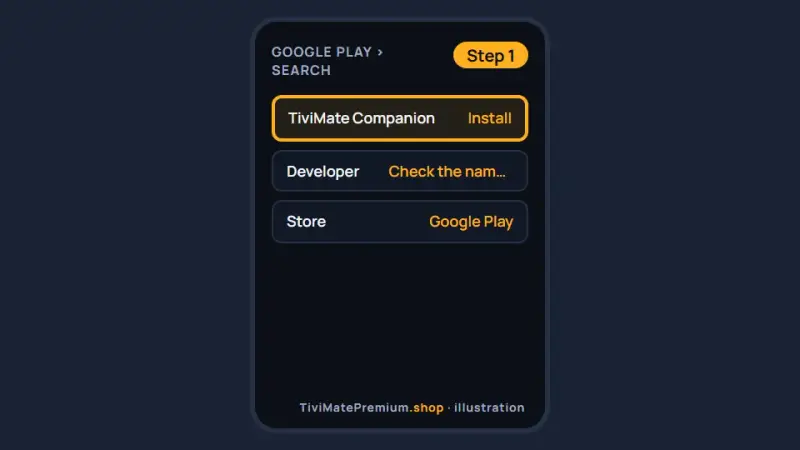
Illustration; labels in the live store may differ. -
Step 2: Sign in or create your account
Open the app and sign in, or create a TiviMate account with an email address you will keep. This is the account you will sign in to on your TV.
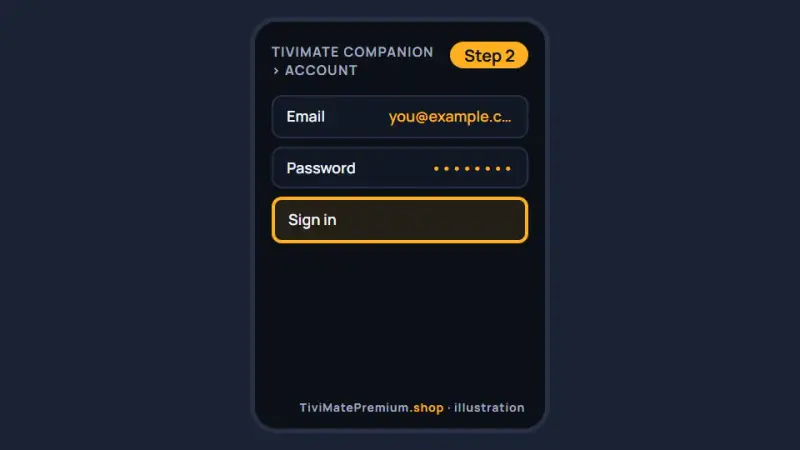
Illustration: the account you create here is the one you sign in to on every TV. -
Step 3: Choose yearly or lifetime and pay
Pick the yearly plan ($9.99 on US Google Play, October 2026) or the one-time lifetime purchase ($33.99). Check the price on screen, which is the one you pay, then confirm through Google Play.
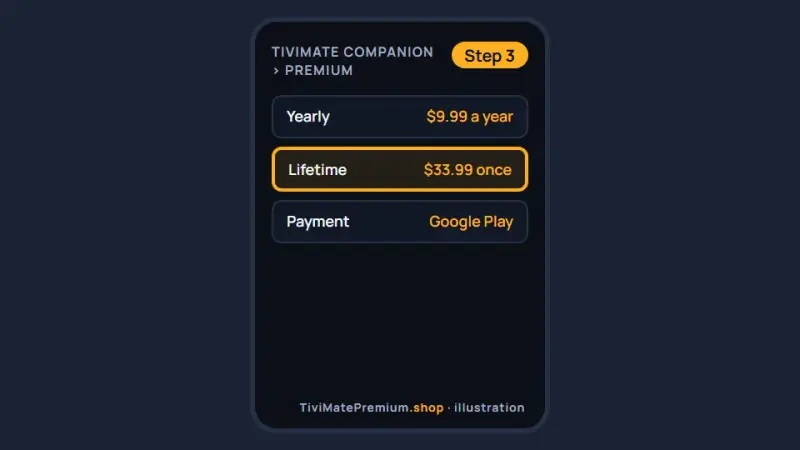
Illustration; the price in the app on the day is the one you pay. -
Step 4: Sign in on your TV
Open TiviMate on your Fire TV Stick or Android TV, open TiviMate settings and sign in to your TiviMate account with the same details. Premium unlocks; your playlists stay as they were.
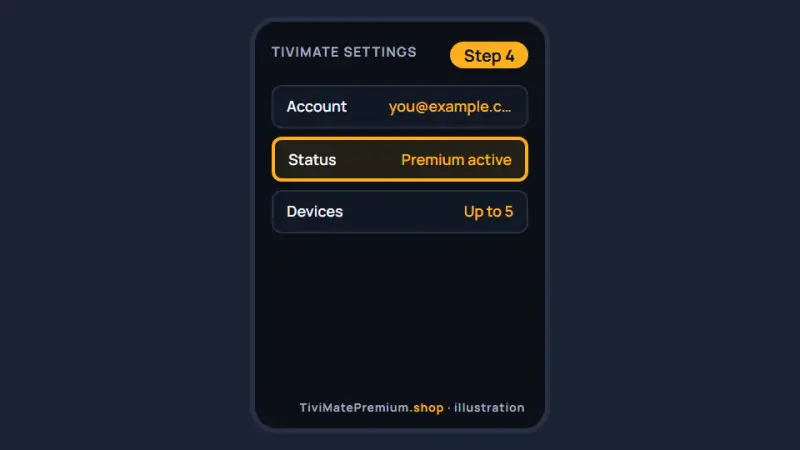
Illustration: once you sign in on the TV, the account shows Premium as active.
How to buy TiviMate Premium with a PC
There is no direct route to pay for Premium with a PC. The developer sells it through the Companion app on Android and on Google Play TV devices, and the official site, tivimate.com, explains the current options rather than offering a desktop checkout.
The practical answer is to borrow any Android phone or tablet for five minutes. Install the Companion app, sign in with your own account, pay, then sign out and hand the device back. The purchase belongs to your account, not to the phone, so you do not need to keep it.
An Android emulator on the computer is a last resort only: it takes longer than borrowing a phone, and some come bundled with unwanted software. If you use one, get it from its official site and sign in with the same account you use on the TV.
Warning. Never pay with a PC on a page that is not the official domain, and never accept a download that promises to unlock Premium on your computer or TV.
No Android phone? iPhone and Apple TV users
Without an Android phone in the house, you have two options: borrow one for five minutes and follow the steps above, or pay on a Google Play TV device, such as a Google TV, if the store there offers the upgrade.
TiviMate itself does not run on iPhone, iPad or Apple TV, so Premium is no use on those devices. Be careful in the App Store: apps that use the TiviMate name there are not from its developer unless the developer name matches. For Apple devices, use another player; our iPhone and iPad setup guide lists apps that work with our IPTV.
I can't find where to buy TiviMate Premium
The purchase option can be hidden or unavailable inside the TV app in some countries, and Fire TV devices do not use Google Play at all. The Companion app on any Android phone or tablet is the route that keeps working, and Premium then syncs to the player when you sign in with the same account.
- On a Fire TV Stick: pay in the Companion app on a phone, then sign in on the Firestick.
- On an Android TV with no purchase option: use the Companion app instead.
- If the Companion app shows no plans: update it from Google Play and sign in again.
- If you still cannot buy TiviMate Premium: contact the developer through the official site.
Buy through your own Google account, so the receipt and any refund stay simple.
Activating on up to five devices
One purchase covers up to 5 devices. Sign in with the same account in TiviMate on each TV, Firestick or Android box, and Premium unlocks on each one.
| Device | What to do |
|---|---|
| Fire TV Stick | Open TiviMate settings and sign in to your TiviMate account |
| Android TV or Google TV | Same: open TiviMate settings and sign in |
| Android box or Nvidia Shield | Same: open TiviMate settings and sign in |
| A sixth device | Remove an old device from the account first |
Our guide on how to activate TiviMate Premium covers activation errors, and the Firestick setup guide shows how to install TiviMate on a Fire TV Stick and add your IPTV login.
Yearly or lifetime at checkout
At checkout you choose between two plans. Both unlock the same features on up to 5 devices; only the payment differs.
| Plan | Price | Renews | Choose it if |
|---|---|---|---|
| Yearly | $9.99 a year | Yes, via Google Play | You want to try the features first |
| Lifetime | $33.99 once | Never | You will use the app for more than 4 years |
Lifetime pays for itself in year 4 ($33.99 divided by $9.99 is 3.4 years); check today's price in the Companion app. Our page on what TiviMate Premium is lists every feature.
Spotting fake "TiviMate code" sellers
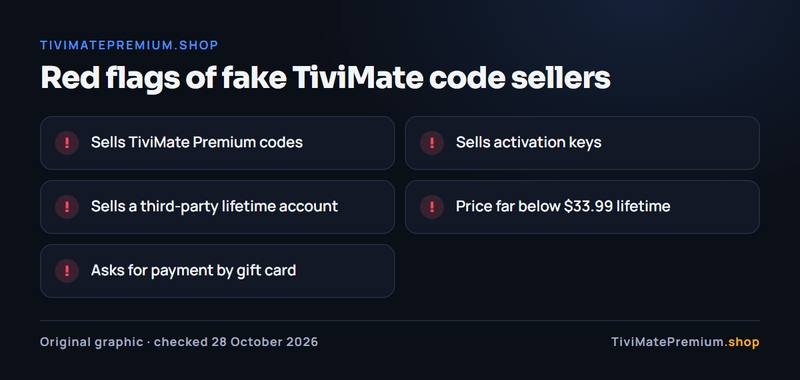
Only the developer can sell Premium, and it is activated by signing in to your own account. That makes these five red flags easy to spot:
| Red flag | Why it is fake |
|---|---|
| Selling "TiviMate Premium codes" | The developer does not sell codes; Premium unlocks through your account |
| Selling activation keys | Nothing in the official purchase uses a key |
| A "lifetime account" from a third party | Shared accounts get blocked, and you never own them |
| A price far below $33.99 lifetime | Nobody but the developer can sell it, so a fraction of the price is a scam |
| Payment by gift card | Gift cards leave you no way to get your money back |
The same goes for apps: a "Premium unlocked" APK is a modified file that can carry malware. Our guide to the official TiviMate APK lists the real download sources.
How do I pay for TiviMate Premium?
You pay the developer through Google Play billing in the Companion app, with a payment method saved in your Google account; the methods on offer can change, so check them on screen.
| Purchase | Who you pay | How |
|---|---|---|
| TiviMate Premium | The TiviMate developer | Google Play billing in the Companion app |
| Our IPTV subscription | TiviMatePremium.shop | Card, PayPal, Apple Pay, Interac e-Transfer (Canada), Bitcoin and USDT, Western Union, MoneyGram or bank transfer, agreed on WhatsApp |
Our payment methods apply to our IPTV only, never to Premium. Our plans are billed once, no auto-renew, with a 7-day money-back on your first order; see the IPTV subscription prices for every plan.
Buy it if, skip it if
Buy it if
- You want recording, catch-up or multi-view in TiviMate
- You keep more than one playlist
- You watch on Fire TV or Android TV devices
- You can reach any Android phone or tablet for five minutes
Skip it if
- You only watch live TV from one playlist
- Your devices are iPhone, Apple TV, Samsung or LG
- You have no content source yet
- Someone offers you a code or key instead of an account
Our pick
Take the yearly plan first ($9.99 on US Google Play, October 2026) in the Companion app to see whether you use the extra features, and switch to lifetime ($33.99) if you will keep TiviMate for more than 4 years. Premium shows nothing on its own: you still need an IPTV subscription, and our IPTV plans for TiviMate start from $4.16/mo.
Sources and last checked
Checked 28 October 2026 against tivimate.com and the Google Play listing.
Purchase routes and prices belong to the developer and can change. Check the official TiviMate site before you buy TiviMate Premium.
Quick answers
Can I buy TiviMate Premium with a PC?
Not directly. There is no desktop checkout, so borrow any Android phone or tablet for five minutes, install the Companion app, pay on your own account and hand it back. The purchase stays with your account, not with the phone.
Can I pay on a Fire TV Stick directly?
No. Fire TV devices do not use Google Play, so pay in the Companion app on an Android phone or tablet, then sign in to the same account in TiviMate on the Firestick to unlock Premium. The purchase belongs to your account, so the Firestick unlocks as soon as you sign in there.
How long does activation take?
Premium usually unlocks as soon as you sign in to the same account in TiviMate on your TV. If it still shows the free version, sign out and in again and restart the app. Also check that the purchase shows in the Companion app and that the TV clock is set to automatic.
Do I need a code to buy TiviMate Premium?
No. The official purchase never uses a code or key. You pay in the Companion app and sign in to your account on the TV. Anyone selling a code is not the developer. Codes, keys, third-party lifetime accounts and gift card payments all point to a fake seller.
Can I buy TiviMate Premium on an iPhone?
No. TiviMate does not run on iPhone, iPad or Apple TV, and App Store apps using the TiviMate name are not from its developer unless the developer name matches. Borrow an Android device for the purchase if you need Premium on an Android TV device.
Do you sell TiviMate Premium?
No. TiviMate Premium is sold only by its developer. We sell the IPTV subscription you load into TiviMate or any other player, and we never sell codes or keys. If you want the upgrade, buy it in the Companion app or on the developer's official site, then sign in on your TV to unlock it.
TiviMate is ready. Add the channels.
Plans from $4.16/mo · Billed once, no auto-renew · 7-day money-back